 GLOBAL EMERGENCY SERVICES
Wiki · Tools
Tools
Realism Location Marker
RLM puts real-world emergency-service locations on the map and into MissionChief — so your stations and alliance buildings sit where they belong in the real world.
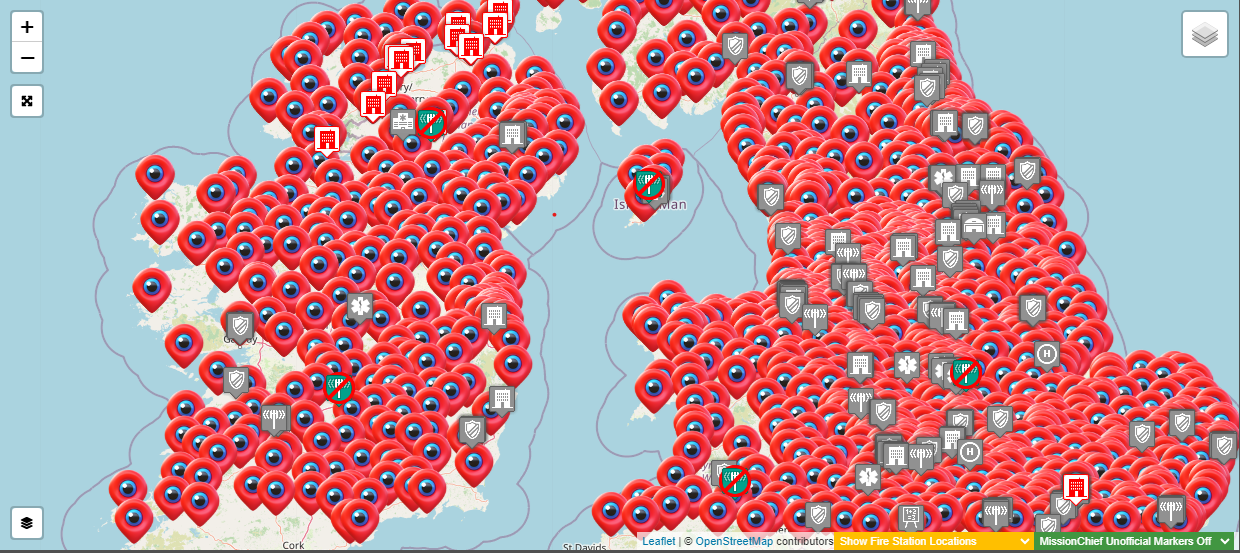
What was — the old building list
For a long time the community kept a Google Document as a shared list of realistic emergency buildings for MissionChief. Volunteers updated it by hand so players could find fire stations, police stations, hospitals, and more.
- Manually updated by the community
- Coverage across fire, police, ambulance, and other emergency buildings
- Shared Google Doc format
- Hard to keep current — slow updates and limited automation
What is — RLM
That document has been superseded by the Realism Location Marker (RLM): an automated, continuously updated system for the same job.
Features
- Automated data — real-world emergency locations from OpenStreetMap
- Live updates — daily refreshes
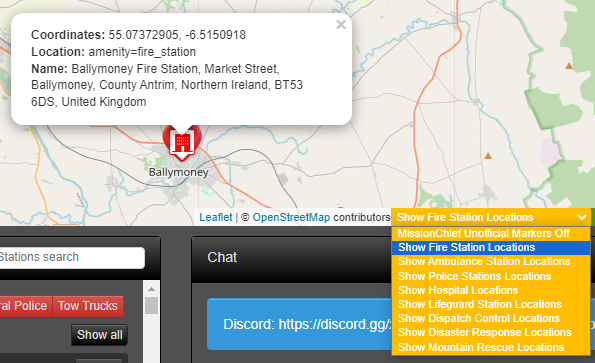
- Interactive map — view and filter locations on the web
- One-click placement — Tampermonkey script places buildings into MissionChief without copy-paste
- Wide coverage — fire, police, ambulance, hospitals, lifeguard, mountain rescue, and more
- Live statistics — indexed locations and coverage metrics
- Modern web UI — fast, usable on mobile
Why the change
- Accuracy — fewer errors, fresher data
- Efficiency — no more hand-editing a giant doc
- User experience — map tools instead of scrolling a spreadsheet
- Direct game integration — the userscript connects the database to MissionChief
How to get it
- Open the RLM site: realism-location-marker.com
- Install the Tampermonkey browser extension
- Install the userscript from the RLM site (Install from GitHub on that page)
- Open MissionChief — RLM markers appear on the map for real-world sites
Questions or help: Global Emergency Services Discord, or Madpugs via Discord / madpugs.uk.
Using RLM in GES
GES asks members to place alliance buildings at real-life locations. Use RLM when you:
- Request an alliance hospital, prison, or academy
- Place your own stations so pins match the real world
- Name buildings after the real establishment
Staff and Logistics check pins against the map before builds go ahead. See also the Members Handbook (funds, buildings, and training).
Coverage (snapshot)
Live totals are on realism-location-marker.com — currently about 728,000+ indexed locations across gameworlds (roughly half of the full OpenStreetMap pool).
What’s next
- The old Google Doc building list is archived and no longer updated
- Use RLM for MissionChief building placement going forward
- Feedback and contributions welcome via Discord / the RLM project
Thanks to everyone who built the original database — that work is the foundation RLM grew from.